Blog

  • How to Buy Land With No Money Down

    How to Buy Land With No Money Down

    Buying land with no money down is possible in some situations, but purchasing property with absolutely no money or ongoing expenses is much more difficult. Some landowners offer seller financing with no down payment, while certain USDA programs provide up to 100% financing for eligible agricultural or residential projects. Other options include lease-to-own agreements and partnerships with investors. However, even zero-down land purchases can involve closing costs, property taxes, and monthly payments. Understanding the financing terms and legal risks is essential before committing to a purchase.

    Can You Buy Land With No Money?

    Buying land without savings usually means finding a way to finance the purchase price rather than obtaining property for free.

    Traditional land loans often require a down payment because undeveloped land can be harder for lenders to evaluate and sell than an existing home.

    However, buyers with limited savings may qualify for alternative financing or negotiate flexible payment arrangements directly with a seller.

    It’s important to distinguish three situations:

    • No money down: You finance the purchase without an initial down payment.
    • Low down payment: You contribute a relatively small portion of the purchase price.
    • Free land: You receive property without paying a purchase price, although taxes, development expenses, or other obligations may still apply.

    Ways to Buy Land With Little or No Money Down

    Several financing arrangements may make land ownership more accessible, depending on your intended use and financial situation.

    Seller Financing (Owner Financing)

    Seller financing allows the property owner to finance the purchase instead of requiring the buyer to obtain a conventional bank loan.

    You make payments directly to the seller according to an agreed schedule. The contract establishes the interest rate, repayment period, and down payment.

    Some sellers may accept zero down, but others require an upfront payment.

    Before signing, verify when legal ownership transfers, whether a large final payment is required, and what happens if you miss payments.

    Lease-to-Own Land Agreements

    A lease-to-own agreement allows you to rent land with an option to purchase it later.

    Depending on the contract, part of your rental payments may count toward the purchase price. However, some agreements require a separate upfront option fee.

    Renting the land does not automatically make you its owner. Review the purchase deadline, option conditions, and consequences of failing to complete the transaction.

    USDA Farm Ownership Loans

    The USDA Farm Service Agency offers Farm Ownership Loans to eligible farmers and ranchers purchasing or expanding agricultural operations.

    Some Direct Farm Ownership Loans can provide up to 100% financing for qualifying purchases.

    Applicants must meet eligibility requirements involving farming experience, credit, repayment ability, and the intended agricultural use.

    The separate Beginning Farmer Down Payment Program requires a minimum 5% contribution from the applicant.

    These programs are intended for agricultural operations, not ordinary recreational land purchases. Check the USDA Farm Ownership Loan requirements before applying.

    USDA Rural Housing Loans

    USDA Rural Development offers housing loans with no down payment for eligible borrowers purchasing or building homes in qualifying rural areas.

    In certain construction financing arrangements, the loan may cover an eligible building lot together with the construction of a primary residence.

    However, these programs generally do not finance standalone purchases of vacant land without an eligible housing project.

    Income, property location, occupancy, and lender requirements apply. Details are available through the USDA Single Family Housing Guaranteed Loan Program.

    Buy Land With a Partner

    Another option is purchasing property with a business partner, family member, or investor who contributes the required capital.

    The arrangement may reduce your upfront financial responsibility, but ownership and future profits must be shared according to the agreement.

    Use a written contract establishing ownership percentages, payment obligations, management responsibilities, and procedures for selling the property.

    How to Find Land With No Down Payment

    Finding a suitable property requires more than searching for inexpensive land.

    1. Define your purpose. Determine whether you want to build a home, operate a farm, or hold land as an investment.
    2. Search for owner financing. Look for listings advertising seller financing or flexible purchase terms.
    3. Contact landowners. Ask whether they would consider installments or a reduced down payment.
    4. Explore USDA eligibility. Investigate relevant programs if the property will support a qualifying farm or home.
    5. Compare total costs. Review interest rates, repayment terms, fees, and future obligations.
    6. Investigate the property. Verify ownership, legal access, zoning restrictions, and outstanding liens before signing.

    Not every seller will accept a zero-down offer, particularly when the buyer has limited credit or financial resources.

    What Costs Should You Expect When Buying Land?

    Even without a down payment, land ownership involves expenses.

    Possible costs include:

    • Closing costs: Settlement fees, document preparation, and recording charges.
    • Title search and insurance: Expenses associated with verifying ownership and protecting against certain title problems.
    • Land survey: Identifying property boundaries and potential encroachments.
    • Property taxes: Ongoing local taxes assessed on the land.
    • Insurance: Coverage required by a lender or appropriate for the property’s risks.
    • Utilities and access: Potential expenses for road access, electricity, water, and septic systems.
    • Financing payments: Monthly installments and interest under the purchase agreement.

    Some costs may be financed or negotiated with the seller, but this depends on the lender and transaction terms.

    Risks of Buying Land With No Money Down

    Zero-down financing can make a purchase easier initially while creating significant long-term obligations.

    Important risks include high interest rates, balloon payments, building restrictions, inaccessible property, and undisclosed liens or unpaid taxes.

    Be particularly careful with contracts for deed. Under some arrangements, the seller retains legal title until the buyer completes all required payments.

    Depending on the contract and applicable law, defaulting may lead to loss of the property and previously paid money.

    The Consumer Financial Protection Bureau’s guidance on contracts for deed explains important risks associated with this type of seller financing.

    Before purchasing, confirm that the land can legally be used for your intended purpose and that you have enforceable access rights. Have a qualified real estate attorney or title professional review the documents, especially when financing directly through a seller.

    Ultimately, buying land with no money down is possible through certain financing arrangements, but it is not the same as obtaining free property. The safest approach is to compare financing options, calculate ongoing expenses, and investigate the land and contract thoroughly before making a commitment.

  • Is Husson University D1? NCAA Division Explained

    Is Husson University D1? NCAA Division Explained

    No, Husson University is not an NCAA Division I (D1) school. It competes in NCAA Division III (D3). Located in Bangor, Maine, Husson University fields athletic teams known as the Husson Eagles. The university offers more than 20 varsity sports, including football, basketball, baseball, soccer, and lacrosse. Its teams participate in several Division III athletic conferences, depending on the sport.

    Is Husson University a Division 1 School?

    Husson University is officially classified as an NCAA Division III institution, not Division I or Division II.

    Here are the key facts about Husson athletics:

    • NCAA division: Division III (D3).
    • Team nickname: Husson Eagles.
    • Location: Bangor, Maine.
    • Varsity sports: More than 20 intercollegiate teams.
    • Major conferences: North Atlantic Conference (NAC) and Conference of New England (CNE).

    According to Husson University’s official Fast Facts, the university is an NCAA Division III member with more than 500 student-athletes participating in intercollegiate athletics.

    Division III membership determines the level of NCAA athletic competition and related regulations. It does not indicate the university’s academic quality or educational ranking.

    What Sports and Conferences Does Husson University Compete In?

    The Husson Eagles participate in numerous men’s and women’s sports, including:

    • Football.
    • Basketball.
    • Baseball and softball.
    • Soccer.
    • Lacrosse.
    • Volleyball.
    • Golf and other varsity sports.

    Many Husson teams compete in the North Atlantic Conference (NAC), including basketball and soccer.

    However, Husson’s football program competes in the Conference of New England (CNE), which includes other NCAA Division III football programs in the region.

    Conference membership varies by sport, so not every Husson Eagles team competes in the same league.

    Does Husson University Offer Athletic Scholarships?

    No, Husson University cannot award athletic scholarships based on sports performance because it competes in NCAA Division III.

    Under NCAA Division III rules, colleges and universities do not provide scholarships specifically based on athletic ability, participation, or performance.

    However, Husson student-athletes may still qualify for other types of financial assistance, including:

    • Academic merit scholarships.
    • Need-based financial aid.
    • Federal and state grants, when eligible.
    • Other institutional scholarships available to qualifying students.

    Students should contact Husson University’s financial aid office to learn about eligibility requirements and available assistance.

    Division III emphasizes balancing competitive athletics with academic responsibilities and the broader college experience.

    Overall, Husson University is a D3 school, not D1. Its Eagles compete in NCAA Division III conferences, offering students opportunities to participate in collegiate athletics while pursuing their education, even though athletic scholarships are not available.

  • Can You Bring an Electric Toothbrush on a Plane? TSA Rules

    Can You Bring an Electric Toothbrush on a Plane? TSA Rules

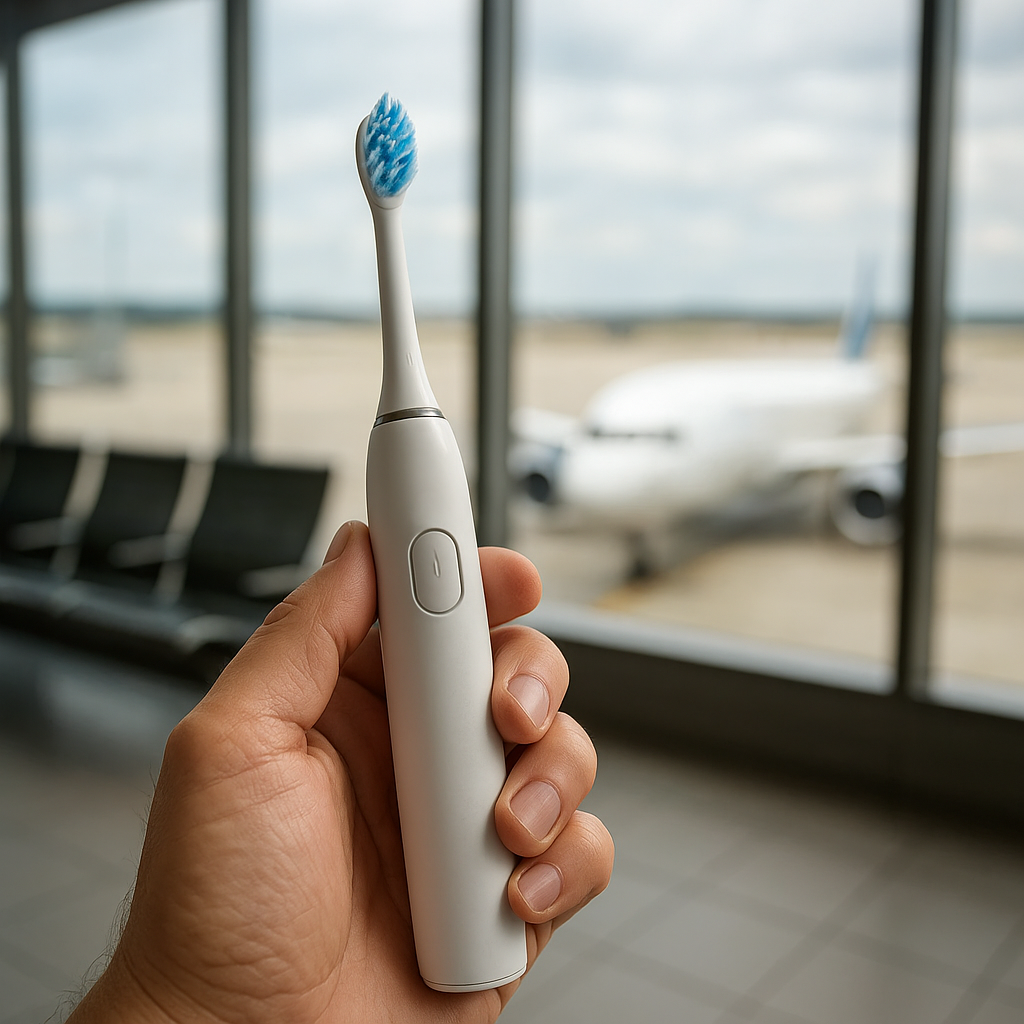
    Yes, electric toothbrushes are allowed on airplanes under TSA rules. You can pack an electric toothbrush in your carry-on luggage or, subject to battery safety requirements, in checked baggage. However, toothbrushes with built-in lithium-ion batteries are best kept in your carry-on bag. Spare lithium batteries must travel in the aircraft cabin and cannot be placed in checked luggage. The exact requirements depend on the battery type and any additional restrictions imposed by your airline.

    Can You Bring an Electric Toothbrush on a Plane?

    The Transportation Security Administration (TSA) generally permits electric toothbrushes on flights departing from U.S. airports. However, battery-powered devices must also comply with Federal Aviation Administration (FAA) safety regulations.

    Here is a quick overview of the rules:

    Toothbrush Type Carry-On Checked Baggage
    Rechargeable toothbrush with lithium battery Yes Yes, with restrictions
    Electric toothbrush with AA/AAA alkaline batteries Yes Yes
    Toothbrush charging cable or standard adapter Yes Yes
    Spare lithium batteries Yes, with restrictions No

    The TSA’s electronic toothbrush guidelines provide information about bringing these devices through airport security.

    Airlines and international aviation authorities may apply additional restrictions, so checking your carrier’s policies before departure is recommended.

    Can You Put an Electric Toothbrush in Checked Luggage?

    Yes, an electric toothbrush can generally be packed in checked luggage, provided applicable battery safety requirements are met.

    For toothbrushes containing lithium-ion batteries, the FAA recommends carry-on transportation because flight crews can respond more quickly to battery-related incidents in the cabin.

    If you pack a permitted lithium-powered toothbrush in checked baggage, it must be completely powered off and protected against accidental activation and damage.

    Toothbrushes powered by ordinary AA or AAA alkaline batteries are generally permitted in both carry-on and checked luggage.

    However, spare or removed lithium batteries are prohibited in checked baggage. They must remain in your carry-on luggage, with their terminals protected against short circuits.

    These requirements are explained in the FAA’s guidance on portable electronic devices containing batteries.

    TSA Rules for Electric Toothbrush Batteries

    The battery inside your toothbrush determines which transportation precautions apply.

    Built-In Lithium-Ion Batteries

    Many rechargeable electric toothbrushes contain integrated lithium-ion batteries.

    These devices are generally permitted in carry-on bags and may be accepted in checked luggage if properly powered off and protected. Carry-on transportation remains the preferred option.

    Replaceable AA or AAA Batteries

    Electric toothbrushes that use standard alkaline batteries can generally travel in either type of baggage.

    Batteries should be protected against damage and short circuits. If the toothbrush has a removable battery compartment, make sure it is securely closed.

    Spare Lithium Batteries

    Spare lithium-ion and lithium-metal batteries must be packed in carry-on luggage only.

    Protect exposed terminals using individual battery cases, original packaging, or another suitable method that prevents contact with metal objects.

    The FAA provides further information in its airline passenger battery safety guide.

    How to Pack an Electric Toothbrush for Air Travel

    Proper packing helps protect your toothbrush and prevents accidental activation during your journey.

    1. Turn off the toothbrush. Make sure the device is completely switched off before packing.
    2. Activate the travel lock. If your toothbrush has a travel lock feature, enable it to prevent accidental operation.
    3. Use a protective case. Store the toothbrush in a suitable travel case to protect the handle and brush head.
    4. Pack charging accessories. Keep the charging cable or standard wall adapter securely packed to prevent damage.
    5. Choose carry-on luggage when possible. This is especially recommended for toothbrushes with built-in lithium batteries.
    6. Check airline restrictions. Confirm any additional battery requirements before flying, particularly on international routes.

    Remember that toothpaste is subject to separate TSA restrictions. In carry-on luggage, toothpaste containers must generally be no larger than 3.4 fluid ounces (100 milliliters) and comply with the liquids rule.

    These restrictions apply to toothpaste, not to the electric toothbrush itself.

    Overall, traveling with an electric toothbrush is straightforward. Both carry-on and checked baggage are generally permitted, but carrying lithium-powered toothbrushes in the cabin is the safer choice. Always pack the device securely, protect any spare batteries, and follow the applicable airline and FAA requirements.

  • Why Is My Laptop Making a Rattling Noise?

    Why Is My Laptop Making a Rattling Noise?

    A rattling noise from a running laptop is often caused by a cooling fan, dust buildup, loose internal components, or a mechanical hard drive. The sound may appear when you start your computer, open demanding applications, or play games. While increased fan noise during heavy use is normal, persistent rattling, grinding, or clicking can indicate a hardware problem. Identifying when and where the sound occurs can help determine whether simple troubleshooting or professional repair is necessary.

    Why Is My Laptop Making a Rattling Noise?

    Laptops contain several components that can produce noise during operation. Cooling fans spin to remove heat, while older computers may also contain mechanical hard drives with moving parts.

    A steady humming or whooshing sound is usually normal, particularly when the processor or graphics card is working hard.

    However, unusual rattling, repeated clicking, or grinding deserves attention. These sounds may indicate mechanical wear, vibrations, or contact between moving components.

    If your laptop becomes noticeably louder during gaming or other demanding tasks, its cooling fans may be spinning faster to manage increased temperatures.

    Common Causes of Laptop Rattling Noises

    Cooling Fan Problems

    A damaged cooling fan is a common source of mechanical rattling. Worn bearings, loose mounting hardware, or fan blades contacting nearby objects can produce buzzing, clicking, or grinding sounds.

    The noise may become more noticeable as fan speed increases. A mechanically damaged fan typically requires professional repair or replacement.

    Dust and Blocked Vents

    Dust accumulation can restrict airflow and make the cooling system work harder.

    When ventilation is limited, internal temperatures may rise, causing the fans to spin faster. Dust or debris near moving fan components can sometimes contribute to unusual sounds.

    According to Dell’s computer noise troubleshooting guide, excessive fan noise can be associated with dust, overheating, and high processor usage.

    Loose Internal Components

    Loose screws, brackets, or other mechanical parts may vibrate while the laptop operates.

    This can create intermittent rattling that changes with fan speed or movement. Identifying the affected component may require professional inspection.

    Hard Drive Noise

    Older laptops equipped with traditional hard disk drives (HDDs) may produce unusual clicking or grinding noises when the drive develops mechanical problems.

    Repeated clicking accompanied by slow performance, file errors, or crashes can indicate possible drive failure.

    Solid-state drives (SSDs) have no moving mechanical parts and do not produce the characteristic spinning or clicking sounds of HDDs.

    Speaker or Audio Problems

    If rattling occurs only when playing music, watching videos, or receiving notifications, the problem may involve the speakers.

    Damaged speaker components, loose speaker mounting, or distorted audio can create buzzing and crackling sounds.

    How to Identify Where the Rattling Noise Comes From

    Before attempting repairs, try to identify the conditions that trigger the sound.

    1. Observe when it starts. Does the noise appear immediately after startup, during normal use, or only under heavy workloads?
    2. Compare different activities. Notice whether demanding applications make the sound louder.
    3. Mute the speakers. Turn off system audio to determine whether the noise comes from sound playback.
    4. Identify the general location. Listen near the ventilation openings and keyboard without opening the laptop.
    5. Check for other symptoms. Watch for overheating, reduced performance, unexpected shutdowns, or storage errors.

    Rattling accompanied by overheating may indicate a cooling-system problem requiring prompt attention.

    Do not shake an operating laptop, insert objects into ventilation openings, or attempt to stop its fan manually.

    How to Fix a Rattling Laptop

    Some rattling noises can be reduced through simple, safe troubleshooting.

    • Restart your laptop. Check whether the sound continues after restarting the operating system.
    • Improve ventilation. Place the computer on a flat, hard surface instead of a bed, blanket, or cushion.
    • Clean external vents. Remove accessible dust carefully while the laptop is powered off, following the manufacturer’s cleaning instructions.
    • Reduce system load. Close unnecessary programs that consume significant processor or graphics resources.
    • Adjust power settings. Use an appropriate balanced or energy-saving mode if your laptop supports it.
    • Run hardware diagnostics. Use official manufacturer tools to check cooling fans and storage devices where supported.
    • Check recommended updates. Install manufacturer-approved updates when they address cooling behavior or relevant hardware issues.

    For model-specific troubleshooting, consult Dell’s laptop noise diagnostic instructions.

    Software adjustments may reduce normal fan activity, but they cannot repair worn bearings, broken fan blades, or other mechanical damage.

    When Should You Stop Using a Rattling Laptop?

    Unusual laptop noises should not be ignored when accompanied by signs of serious hardware trouble.

    Stop using the laptop and seek professional assistance if you notice:

    • Excessive heat or persistent overheating warnings.
    • Loud grinding or rapidly worsening mechanical rattling.
    • Unexpected shutdowns associated with high temperatures.
    • A cooling fan that stops working or behaves erratically.
    • Repeated hard drive clicking, storage errors, or disappearing files.

    If you suspect HDD failure, back up important files as soon as safely possible. Avoid lengthy stress tests or unnecessary disk activity that could worsen the problem. Microsoft’s Windows backup and recovery guidance explains available backup options.

    If the laptop is severely overheating or shows signs of physical damage, shut it down and have it inspected before further use.

    Ultimately, normal fan noise is expected during demanding tasks, but persistent rattling is not. Basic ventilation checks and diagnostics can help identify the cause, while damaged fans, failing hard drives, and other mechanical problems are best handled by a qualified repair technician.

  • Buying a House vs. Renting an Apartment: Pros and Cons

    Buying a House vs. Renting an Apartment: Pros and Cons

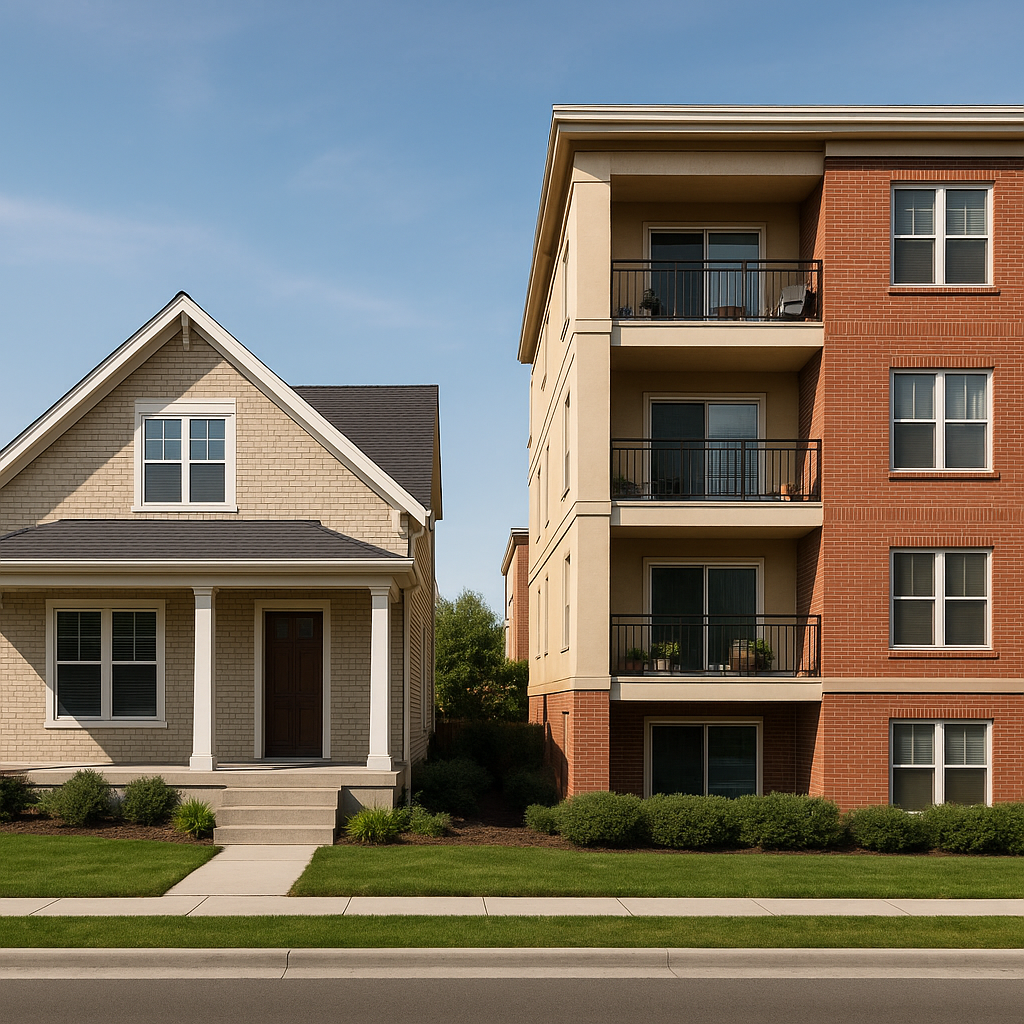
    Renting an apartment is often better for people who want flexibility, lower upfront costs, and fewer maintenance responsibilities. Buying a house may be more suitable for those seeking long-term stability, additional living space, and the opportunity to build home equity. However, neither option is universally better. The right choice depends on your income, savings, local housing market, and how long you expect to stay in one place. This comparison focuses on buying a standalone house versus renting an apartment, although renting a house or purchasing a condominium are also possible alternatives.

    Is It Better to Buy a House or Rent an Apartment?

    Buying a house offers greater control over your living environment and the possibility of building wealth through homeownership. However, it also requires a substantial financial commitment and responsibility for repairs.

    Renting an apartment generally involves fewer upfront expenses and allows greater flexibility when changing jobs or relocating.

    According to the Consumer Financial Protection Bureau’s homebuying guidance, your financial stability and expected length of residence are important factors when deciding whether to rent or buy.

    Buying a House vs. Renting an Apartment: Key Differences

    Factor Buying a House Renting an Apartment
    Upfront costs Down payment and closing costs Security deposit and rental fees
    Monthly payments Mortgage and ownership expenses Rent and applicable fees
    Maintenance Owner’s responsibility Usually landlord’s responsibility
    Flexibility Selling or renting out takes time Easier to relocate after the lease
    Equity Opportunity to build ownership equity No ownership equity
    Living space Often more indoor and outdoor space Usually less space
    Customization Greater freedom, subject to rules Limited by lease terms

    These differences reflect typical arrangements. Actual costs, space, amenities, and responsibilities depend on the particular property and lease or ownership conditions.

    Is It Cheaper to Rent an Apartment or Buy a House?

    Comparing rent with a mortgage payment alone doesn’t reveal the full cost of housing. Homeownership and renting involve different initial and ongoing expenses.

    Costs of Buying a House

    Homebuyers should budget for:

    • Down payment and closing costs.
    • Monthly mortgage principal and interest.
    • Property taxes and homeowners insurance.
    • Mortgage insurance, if required.
    • Maintenance, repairs, and unexpected replacements.
    • Homeowners association fees, where applicable.
    • Transaction expenses when eventually selling the property.

    A 20% down payment is not universally required. Some mortgage programs allow smaller down payments, depending on borrower eligibility.

    Part of each mortgage payment generally reduces the loan principal, increasing your ownership stake. Home equity is the property’s market value minus the outstanding mortgage balance and other debts secured by the home.

    However, property values can decline, and ownership does not guarantee a financial profit.

    Costs of Renting an Apartment

    Renters typically need to consider:

    • Monthly rent.
    • Security deposits and applicable application or administrative fees.
    • Renters insurance.
    • Utilities and additional charges specified in the lease.
    • Potential rent increases when renewing the lease.

    Renting usually requires less initial cash than purchasing a house. Major building repairs are generally the landlord’s responsibility, subject to lease terms and applicable law.

    Fannie Mae’s rent-versus-buy comparison outlines the different financial responsibilities involved in each option.

    Pros and Cons of Buying a House

    Advantages of buying a house include:

    • Building equity: Mortgage principal payments can gradually increase ownership equity.
    • Long-term stability: You are not dependent on a landlord renewing your lease.
    • Customization: You can generally renovate and personalize your home, subject to regulations and HOA restrictions.
    • More space: Detached houses often provide additional rooms, outdoor areas, and privacy.
    • Potential appreciation: Your home’s market value may increase over time.

    Disadvantages include:

    • Higher initial expenses and ongoing ownership costs.
    • Responsibility for maintenance and unexpected repairs.
    • Less flexibility when relocating.
    • Possible declines in property value.

    Buying can be financially rewarding, but it is not automatically a better investment than renting.

    Pros and Cons of Renting an Apartment

    Advantages of renting an apartment include:

    • Lower upfront costs: Renting generally requires less savings than purchasing a home.
    • Flexibility: Relocating is often simpler after a lease expires.
    • Less maintenance: Landlords typically handle major repairs.
    • Community amenities: Some apartment complexes offer gyms, pools, and shared facilities.
    • Location options: Renting may provide access to neighborhoods where homeownership is unaffordable.

    Disadvantages include:

    • No ownership equity from monthly rent payments.
    • Potential rent increases and lease restrictions.
    • Limited freedom to renovate or customize.
    • Possible limitations on pets, space, and privacy.

    Renting is not necessarily wasted money. It provides housing while allowing renters to preserve savings, invest elsewhere, or maintain flexibility.

    Should You Get a House or an Apartment?

    Buying a house may make more sense if:

    • You have stable income and sufficient savings.
    • You expect to remain in the same area for several years.
    • You can afford mortgage payments and unexpected repairs.
    • You need additional space or privacy.
    • You’re comfortable managing property maintenance.

    Renting an apartment may be better if:

    • You expect to relocate or change jobs.
    • You haven’t saved enough for homebuying expenses.
    • You prefer fewer maintenance responsibilities.
    • You want a smaller, easier-to-manage living space.
    • Buying a comparable home in your area would be significantly more expensive.

    Before deciding, use the Freddie Mac Rent vs. Buy Calculator to compare scenarios using local housing prices, rent, mortgage rates, ownership expenses, and your expected length of residence.

    Ultimately, buying a house offers greater control and an opportunity to build equity, while renting an apartment provides flexibility and generally lower upfront costs. The better decision is the one that fits your budget, housing needs, and long-term plans.